Business Operating Systems
Your entire business. One place.
Stop running your company across a dozen disconnected tools. We design and build custom software that becomes your command center: customers, operations, team, documents, approvals and reporting in one secure system, built around how your business actually runs.
01The problem
Most companies run on a patchwork. It costs more than you think.
Every disconnected tool adds a login, a subscription, a place for information to hide and a step someone has to remember. Here is what we hear from owners every week.
- Information is scatteredCustomer details in one tool, jobs in another, documents in email and shared drives. Nobody has the full picture.
- The same data is typed twiceStaff re-enter the same names, numbers and notes into several systems, and mistakes creep in.
- Owners can’t see the businessGetting a straight answer about jobs, cash or workload means asking around or waiting for a spreadsheet.
- Processes live in people’s headsWhen a key person is out or leaves, work slows down because the steps were never built into a system.
- Paying for software nobody fully usesOverlapping subscriptions, each solving part of a problem, with no one tool fitting how you work.
- Access is hard to controlShared logins and scattered accounts make it hard to know who can see what, or to remove access when someone leaves.
02The command center
What a command center is
Think of it as the one place your company runs from. Each person signs in and sees the work, customers and documents their role needs, nothing more. The owner sees the whole business at a glance.
Behind the screens sit the pieces that keep it accurate: a single record for each customer, job and document, permissions for every role, a history of who changed what, and the integrations and automations that move work forward without retyping.
Diagram: a company AI layer and automation sit above a central command center. Customers and leads, operations, projects and scheduling, team and permissions, documents and files, and reporting all connect to it. A security layer with sign-in and multi-factor authentication, role permissions, encryption, an activity log and backups sits underneath everything.
- Customers & leadsEvery inquiry, customer, conversation and document in one record.
- OperationsJobs, orders, service calls or cases, moving through your own stages.
- Projects & schedulingSchedules, crews, tasks and deadlines in one view.
- Employees & permissionsRoles, access, onboarding and responsibilities for each person.
- Documents & filesContracts, photos, forms and reports attached to the work they belong to.
- Reporting & dashboardsSales, operations and financial visibility, updated from the source.
- Approvals & workflowsQuotes, purchases, time off and changes routed to the right person.
- AI & automationAnswers, summaries and routine steps handled for your team.
03More than a CRM
A CRM manages customers. An operating system runs the company.
A CRM is designed around customer relationships and the sales pipeline, and the leading ones can be extended a long way. A business operating system starts from the other direction: your operations. Here is how the two approaches usually compare.
| Compared on | Typical CRM | WIT business operating system |
|---|---|---|
| Starting point | Customers, contacts and the sales pipeline. | How your whole company works, from first inquiry to final invoice and beyond. |
| Structure | The vendor’s standard records, customized within what the product allows. | Records designed around your business: jobs, sites, assets, locations, crews, cases. |
| Workflows | Strong for sales and service; other departments often need extra tools. | Operations, team, documents, approvals and reporting designed together. |
| Pricing | Usually per user, per month, often with paid add-ons. | A build project plus hosting and support, scoped in a fixed proposal. |
| Control | The vendor decides the roadmap and how your data is stored. | Ownership and hosting agreed in your contract; we can host it in an account you control. |
Sometimes the right answer is a well-configured CRM, or a custom system built on top of one. We’ll recommend that when it fits better than custom software.
04Departments
One system for every part of the company.
- Sales & customer serviceLead intake, follow-up, quotes, customer history and service requests.
- Operations & field workJobs, dispatch, checklists, photos and site notes from the field.
- Projects & schedulingTimelines, crews, resources and deadlines across every active job.
- Team & HROnboarding, roles, training records, time off and responsibilities.
- Finance visibilityRevenue, job costing and cash-flow views, connected to your accounting software.
- LeadershipOne honest view of the business: what is on track, at risk or overdue.
05Customization
Built around how you work. Not the other way around.
- 01Map the workWe sit with the people who do the work and map how information moves today, including the workarounds.
- 02Design each roleFor each role we design the screens, records and permissions they need, and what the owner needs to see.
- 03Decide keep, connect or replaceAccounting, payroll and industry software often stay and connect in. Overlapping tools are retired only when the new system covers them.
- 04Build in phasesThe most valuable module goes live first, so your team gets value early and shapes what comes next.
06Integrations, security & AI
Works with what you already have
Most companies keep some of their existing software. We connect the system to the tools that work, through the secure connections those vendors provide, and move data out of the tools you retire.
Connects to
- Accounting software, such as QuickBooks
- Microsoft 365 or Google Workspace email, calendar and files
- Phone systems and SMS
- Payment processors, such as Stripe
- Industry-specific software that offers integrations
- Spreadsheets and legacy databases (migrated)
What can be connected depends on each vendor’s integration options. We confirm this during design, before you commit to a build.
Secured by design
- Secure sign-in. Individual accounts, strong passwords and multi-factor authentication.
- Role-based permissions. Each role sees and changes only what it should. Access is removed in one place when someone leaves.
- Activity history. A record of important changes: who did what, and when.
- Backups & recovery. Scheduled backups and a tested way to restore them.
Private AI, built in
Add a company AI that answers questions from your own records, inside each person’s permissions, and prepares routine work for approval. Hosted, dedicated or on your own infrastructure.
Explore Private AI07See it
What you just watched, mapped to your business.
- One request, end to endA website request becomes a customer record, an assigned technician, a project and a booked site visit, automatically.
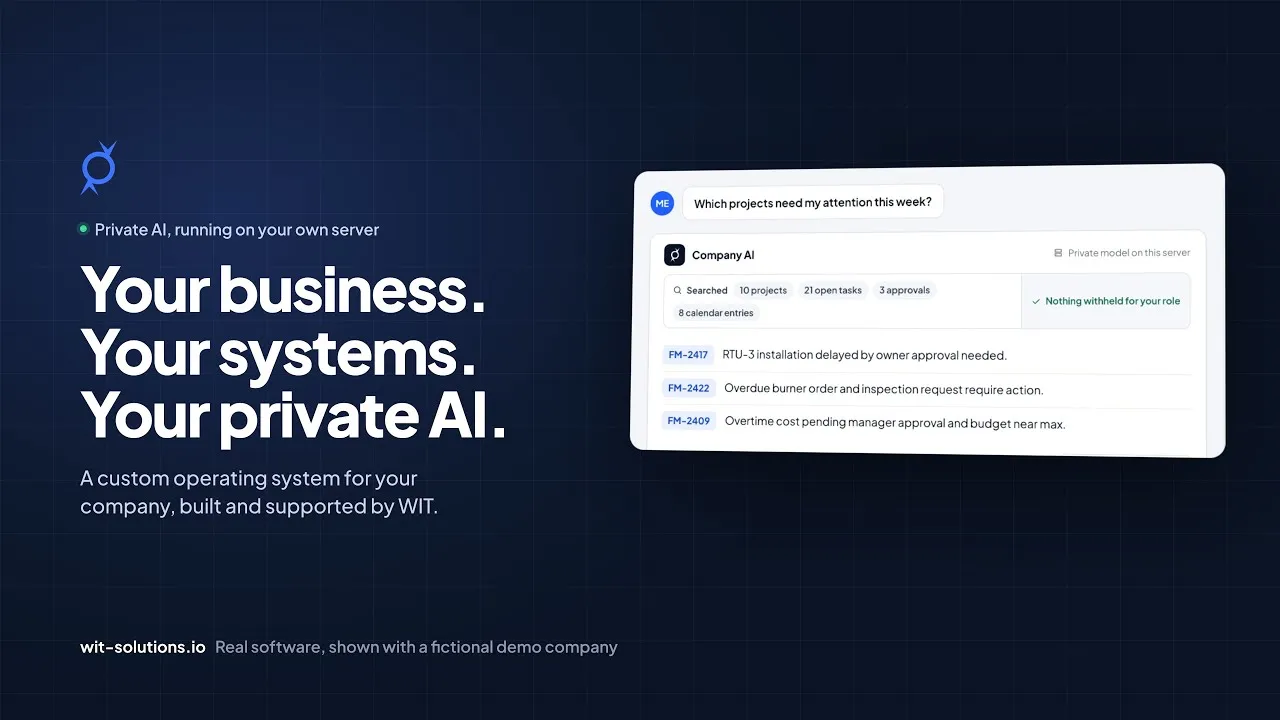
- Private company AIThe owner asks which projects need attention. The AI answers only from records they may see, on the company’s own server.
- Security you can seeA technician asks about profit margins and is blocked. The attempt is recorded in an activity log that can’t be edited.
See it for your business
Get a walkthrough built around your own workflows.
The demo runs a fictional company. Client systems hold private company data, so we never put them on a public website. On your Business Operations Audit we map how a command center would run your business: the screens each role would use, the records it would hold, and what it would replace.
08Ownership
Who owns it
- Your data is yours, and you can export it.
- Ownership of the custom code, configuration and documentation we create is set out in writing in your agreement before work begins, and it can be assigned to your company.
- Third-party pieces such as cloud hosting, accounting software or AI models remain under their providers’ licenses and terms. We list them in your proposal so nothing is a surprise.
09Implementation & support
Rolled out without disrupting the business.
- Data migrationWe move and clean the records you need from spreadsheets and old systems, and check them with your team.
- Side-by-side rolloutThe new system runs alongside your current process until your team is confident. Nothing switches over before it is proven.
- Training by roleShort sessions for each role, written guides, and help during the first weeks of real use.
- Ongoing supportMonitoring, fixes, updates and improvements after launch: new reports, workflows, users and locations as you grow.
Questions owners ask
Our results commitment
Before we build, we agree measurable success metrics with you. If your system isn’t hitting them, we keep working with you until it does. It’s written into how we scope every engagement.
Is this just a CRM with a different name?
No. A CRM is one possible part of it. A business operating system covers operations, team, documents, approvals and reporting as well, designed around how your company works. If a CRM alone would serve you better, we’ll tell you.
Do we have to replace all our software?
No. We sort every tool into keep, connect or replace. Accounting and industry software usually stays and is connected. We only retire tools the new system fully covers.
How long does it take?
It depends on scope. Systems like this are delivered in phases: the first module goes live before the full system is finished. Your proposal includes a timeline for each phase.
What if our business changes?
The system is built in modules, so new workflows, locations, departments and reports can be added later. We plan for the growth you expect during design.
Can we see one?
Yes. The demo at the top of this page is real WIT Command Center software, running a fictional company. Client systems hold private data, so we don’t publish them. On your Business Operations Audit we walk through how a command center would map to your business, using your own workflows as the example.
Ready to run your whole business from one place?
Book a free Business Operations Audit. We’ll map your operations, show you what a command center would replace, and give you a straight answer on scope and starting point.
- Call us(740) 602-6411
- Based inColumbus & Dayton, Ohio
- Business Operations AuditFree · 60 minutes · remote